Release v1.2.0 Active · ARM64 Native
Nextcloud Server for Android
Deploy a private cloud server directly on ARM64 Android devices without root. Includes native Nginx, PHP-FPM, SQLite, WebDAV, and zero-click hot-plug storage.
Quick Setup Guide
Follow these four steps to run Nextcloud on your device.
1
Install the Standalone APK
Download nextcloud-server-v1.2.0-arm64-v8a.apk to your Android device and tap to install. When launched for the first time, allow notification and storage permissions.
2
Start the Server
Tap Start Server on the Dashboard. The application unpacks the native Linux stack (Nginx 1.25, PHP-FPM 8.5, SQLite database, and Nextcloud Core) and starts background services within seconds. Ensure battery optimization is disabled for 24/7 background operation.
3
Access Nextcloud & Connect Clients
Open the displayed local address in any browser (e.g.,
http://192.168.1.150:8080) or connect the official Nextcloud mobile/desktop app to sync files and photos.
Default Admin:
admin
Password:
NextcloudAdmin123!
4
Hot-Plug Storage (MicroSD & USB OTG)
External storage is supported automatically across Android 8 through 15+. Insert any MicroSD card, USB flash drive, external SSD, or HDD; the server mounts the volume with read and write access without requiring manual SAF folder pickers or popups.
Release SHA-256 Checksum (nextcloud-server-v1.2.0-arm64-v8a.apk):
435d516a8f6f4ca35355eeb63c201b78e0be7557aa5011d9fd31bb64b6e92ce3
Stack & Specifications
Architecture details of the embedded server runtime.
Target Architecture
ARM64-v8a (aarch64)
Native 64-bit ELF binaries via linker64
Android Compatibility
Android 8.0 – 15+
API 26 (Oreo) up to API 35+
Web Server
Nginx 1.25.x
Configured for WebDAV, FastCGI & chunked uploads
PHP Runtime
PHP-FPM 8.5.1 + PHP CLI
512M memory limit · OPcache & Cron worker enabled
Database
SQLite (pdo_sqlite)
Zero-configuration, embedded and crash-safe
Protocols & API
HTTP / WebDAV / OCS
Full Nextcloud mobile and desktop sync compatibility
Application Interface
Material 3 dashboard, storage monitor, and system settings.
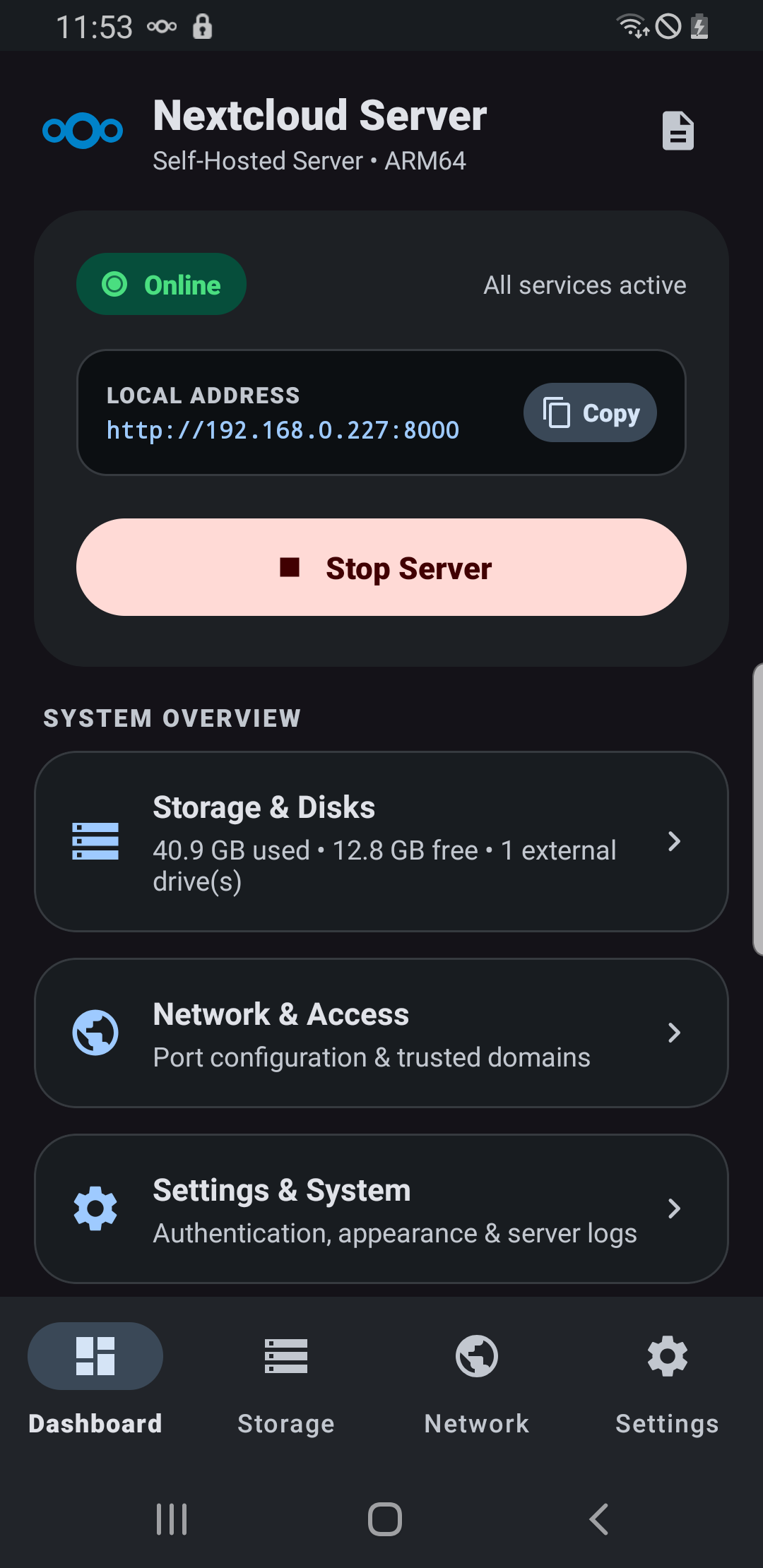
Server Dashboard
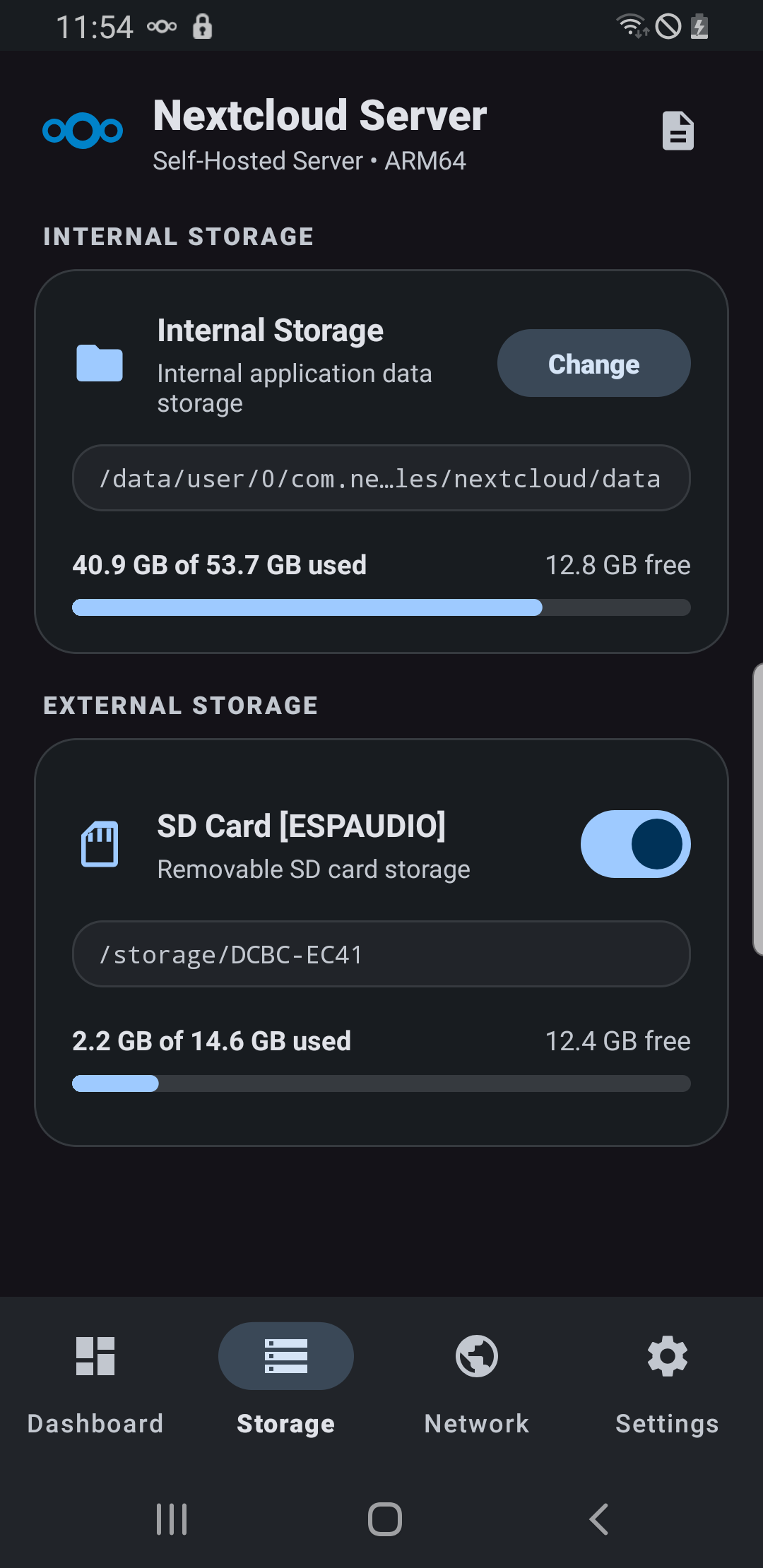
Storage & Hot-Plug
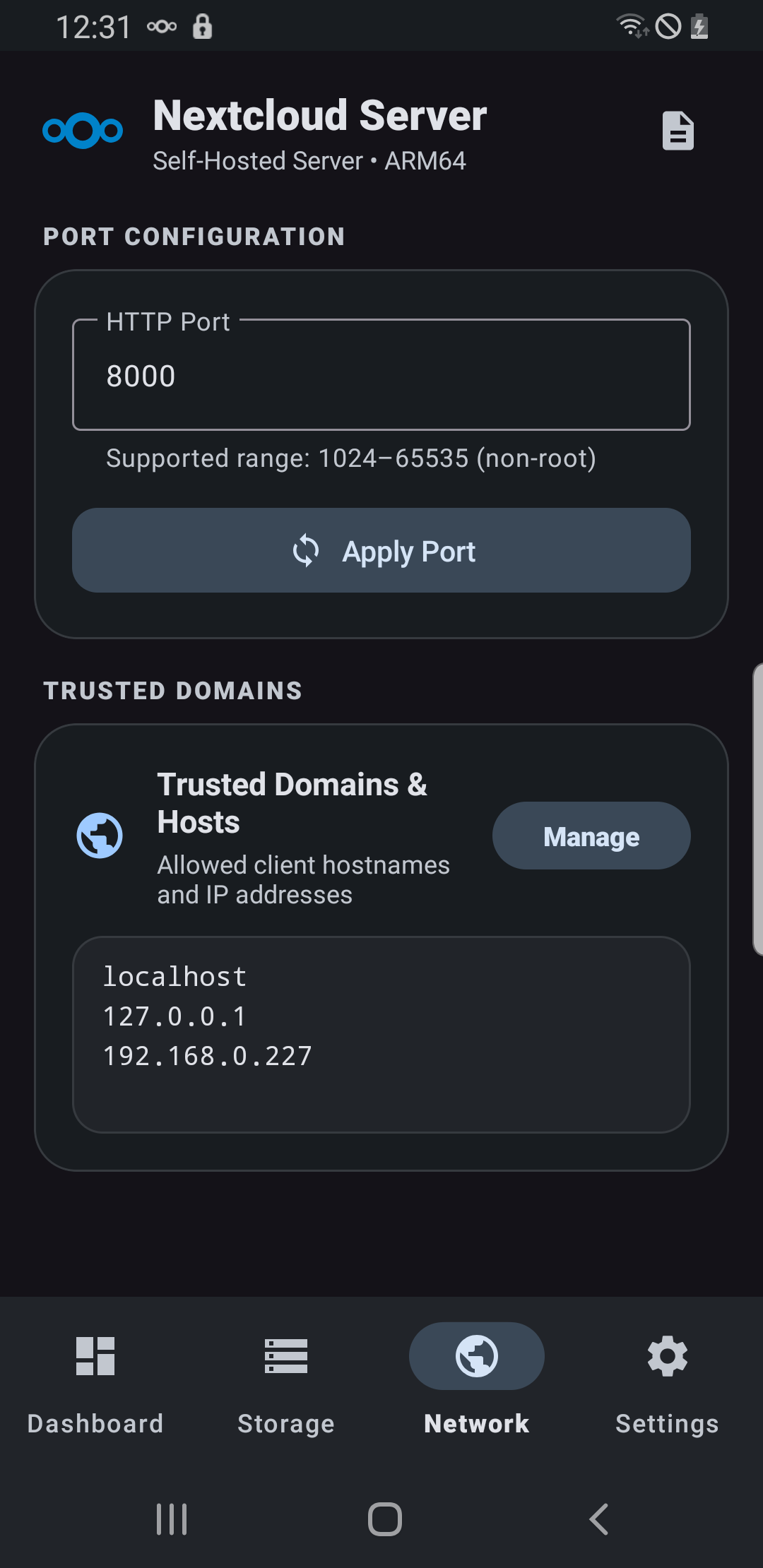
Network Access
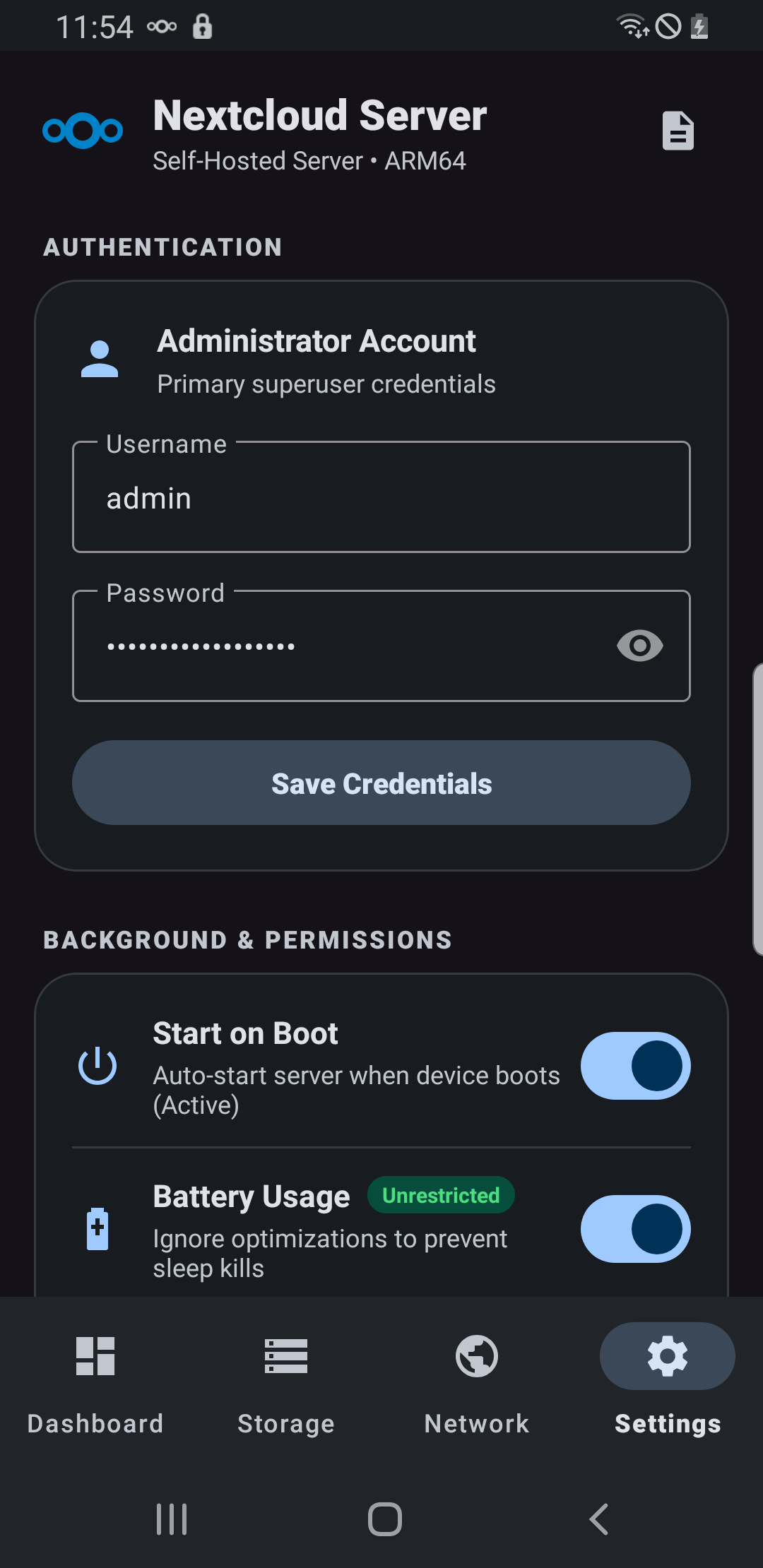
System Settings